Advantages
The Advantages section shows a row of short reasons to buy from your store: fast shipping, free returns, gift wrapping, customer support. Each advantage has an icon, a short heading and one line of text. Stores often place it near the bottom of the home page or under a product section.

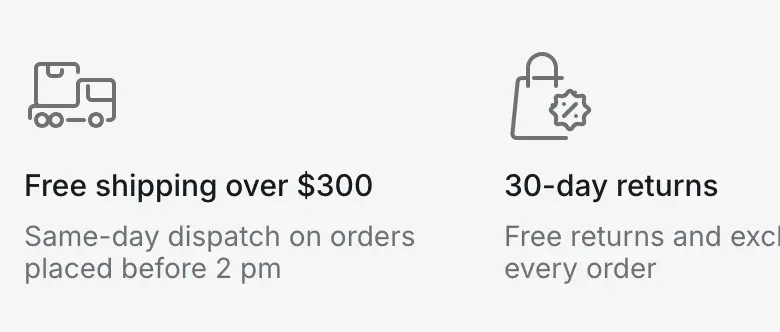
On screens up to 1024px wide, the advantages stay in one row that customers scroll sideways. The row runs to the right edge of the screen, so the cut-off item hints that there is more.
Where to find it: Theme editor → any page → Add section → Advantages.
Set up the section
Section titled “Set up the section”- Click Add section and choose Advantages. The section comes with four sample advantages.
- Optional: enter a Heading. Leave it empty to show only the advantages.
- Click each Advantage block and choose an Icon, or upload a Custom icon.
- Enter a Heading and a Text for each advantage.
- Choose a Color scheme that sets the section apart from its neighbors, for example a light gray background.
- Click Save.
The row is designed for four advantages on desktop. Keep headings short, two to four words, and the text to one sentence.
The Icon setting offers four built-in line icons, drawn in a muted shade of the text color of the color scheme:
| Option | Shows |
|---|---|
| None | No icon. |
| Delivery truck | A delivery truck with a parcel. |
| Support phone | A phone with a “24/7” speech bubble. |
| Gift | A gift box. |
| Price tag | A shopping bag with a discount badge. |
For any other symbol, upload a Custom icon. It replaces the built-in icon and is shown at 48 × 48px. Use a square SVG or PNG, at least 96 × 96px, with a transparent background.
Settings reference
Section titled “Settings reference”| Setting | What it does | Default |
|---|---|---|
| Heading | Heading above the advantages, centered on desktop. Plain text, without formatting. Info in the editor: “Optional. Leave empty to show only the advantages.” | Empty |
| Color scheme | Colors of the section. See Section basics. | Scheme 1 |
Advantage block (up to 8 per section):
| Setting | What it does | Default |
|---|---|---|
| Icon | Built-in icon. Options: None, Delivery truck, Support phone, Gift, Price tag. | Delivery truck |
| Custom icon | Info in the editor: “Replaces the icon above. Displayed at 48 × 48px, square SVG or PNG works best.” | Empty |
| Heading | Short title of the advantage. | Free delivery |
| Text | One line that explains the advantage. | Tell customers why this matters to them |
The same Advantage blocks are used in the About us section, where they sit next to the store description.