Catalog menu
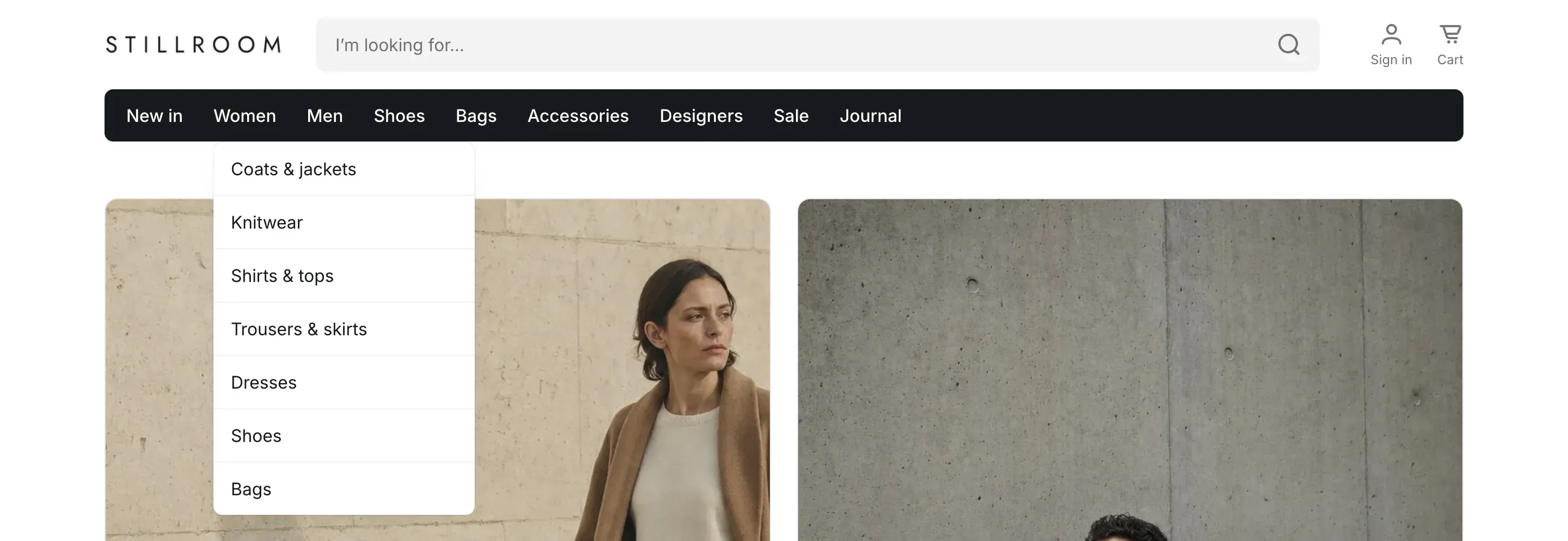
The catalog menu is the backbone of navigation in Alpha Start. You create it once as a regular Shopify menu, and the theme uses it in several places:
- the mega menu or the category band in the header;
- the mobile menu;
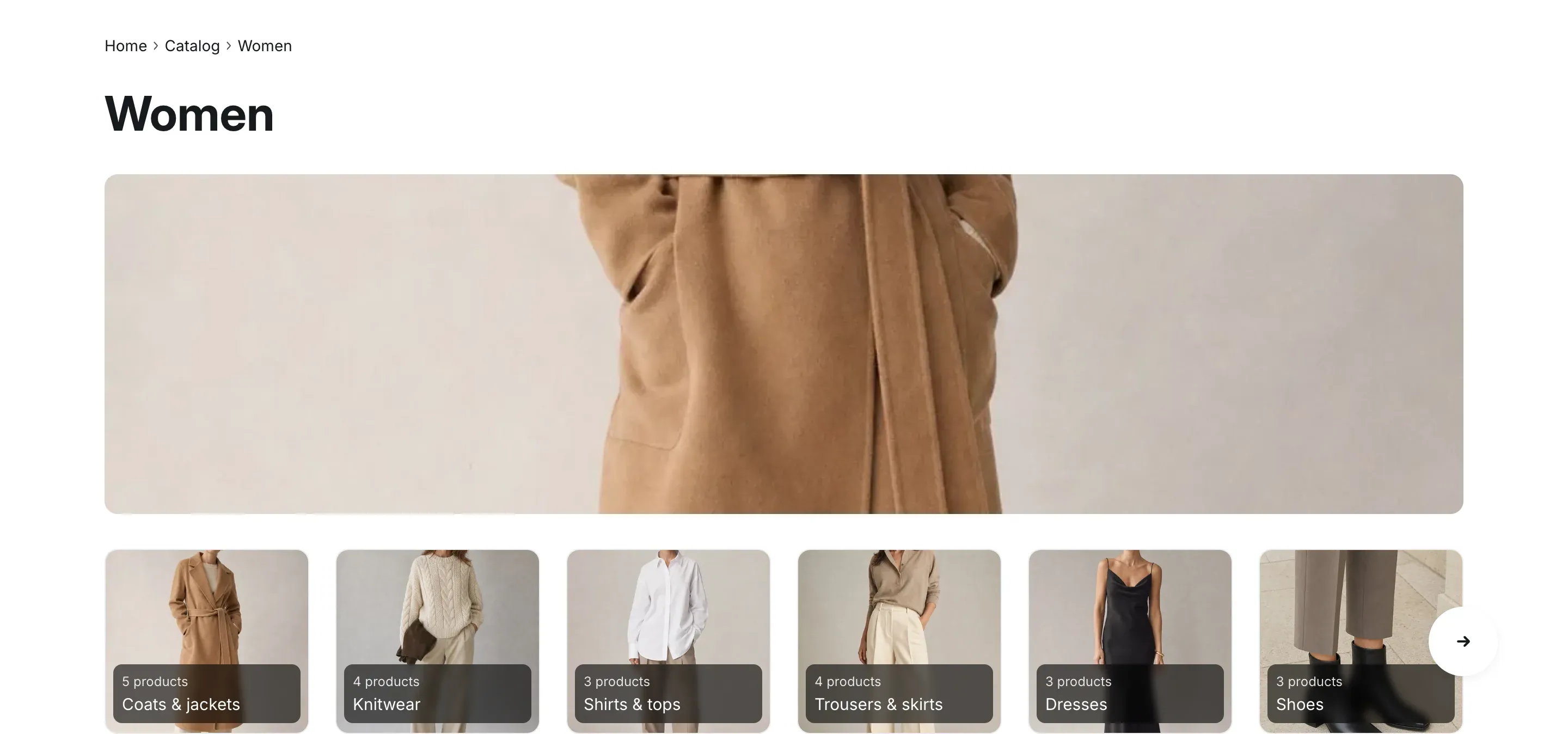
- the collections page, which shows the top-level collections from the menu;
- the breadcrumbs, the subcategory tiles and the sidebar menu on collection pages.
Create the menu
Section titled “Create the menu”- In your Shopify admin, open Content → Menus (in some admin versions: Online Store → Navigation).
- Click Add menu, or open an existing menu such as Main menu.
- Add top-level items, for example Women, Men and Accessories, and link each one to a collection.
- Drag items under a top-level item to nest them. You can nest up to three levels.
- Click Save menu.
Choose the menu in the theme
Section titled “Choose the menu in the theme”- In the theme editor, open Theme settings → Catalog.
- Under Catalog menu, select your menu.
- Click Save.
How menu levels are shown
Section titled “How menu levels are shown”In the mega menu:
| Level | How it appears |
|---|---|
| Top level | A column on the left. Pointing at an item shows its links on the right. |
| Second level | Headings in the panel of the top-level item. |
| Third level | Links under each heading. |
On collection pages, the menu gives the hierarchy:
- the menu items above the current collection become the breadcrumb trail;
- the collections nested under the current collection appear as tiles under the collection title (the tiles are hidden on screens up to 1024px wide);
- when Show catalog menu is turned on in the Collection products section, the catalog menu appears next to the products as an expandable list, with the branch of the current collection open. On screens up to 1024px wide it opens from the Categories button.
To add icons, a promo banner or brand logos to top-level items of the mega menu, use the Menu item blocks of the header. See Header.
Settings reference
Section titled “Settings reference”| Setting | What it does | Default |
|---|---|---|
| Catalog menu | Info in the editor: “Builds the mega menu, the mobile menu, the collections page and the subcategories, sidebar menu and breadcrumbs on collection pages. Nest collection links up to three levels.” | Main menu |