Logo and favicon
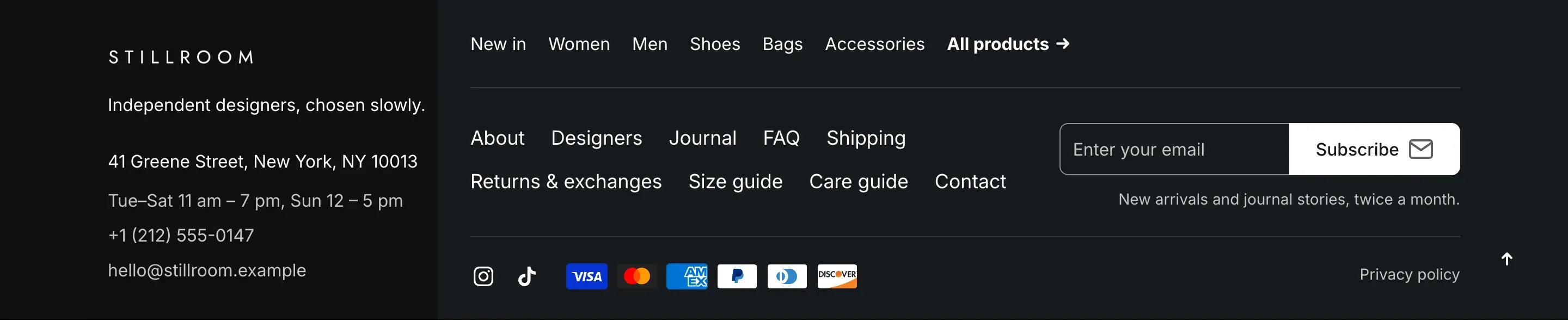
Your logo appears in the header, the footer and on the password page. Alpha Start also supports a second logo for dark backgrounds, so the logo stays readable on a dark footer or a dark header.

Add your logo
Section titled “Add your logo”- In the theme editor, open Theme settings → Logo and favicon.
- Under Logo, click Select and upload your logo or choose an image from your files.
- Optional: under Logo for dark backgrounds, upload a light version of your logo.
- Adjust Logo width until the logo looks right in the header.
- Click Save.
Without a logo, the header shows your store name as text.
Where the logo for dark backgrounds is used
Section titled “Where the logo for dark backgrounds is used”The logo for dark backgrounds replaces the main logo:
- in the footer, when the footer color scheme has a dark background;
- in the header when it uses the Accent layout;
- on the password page, when its background is dark.
If you don’t upload it, the main logo is used everywhere.
Add a favicon
Section titled “Add a favicon”The favicon is the small icon in the browser tab. Upload a square image under Favicon. It is displayed at 32 × 32px, so a simple mark works better than a full logo with text.
Settings reference
Section titled “Settings reference”| Setting | What it does | Default |
|---|---|---|
| Logo | Logo in the header, the footer and on the password page. | Empty (store name as text) |
| Logo for dark backgrounds | Info in the editor: “Used on dark color schemes, such as the footer and a transparent header”. | Empty |
| Logo width | Width of the logo, from 50 to 300px. On screens up to 1024px wide the header logo is 90px wide. | 140px |
| Favicon | Icon in the browser tab. Info in the editor: “Displayed at 32 × 32px”. | Empty |