Search, cart and back to top button
This page covers three small groups of theme settings: Search, Cart and Back to top button. To open them, go to the theme editor and click Theme settings.
Search
Section titled “Search”When Show search suggestions is on, results appear under the header search field while the customer types. Suggestions are grouped: matching search terms and collections first, then products with their image and price. All search results at the bottom opens the full search page.
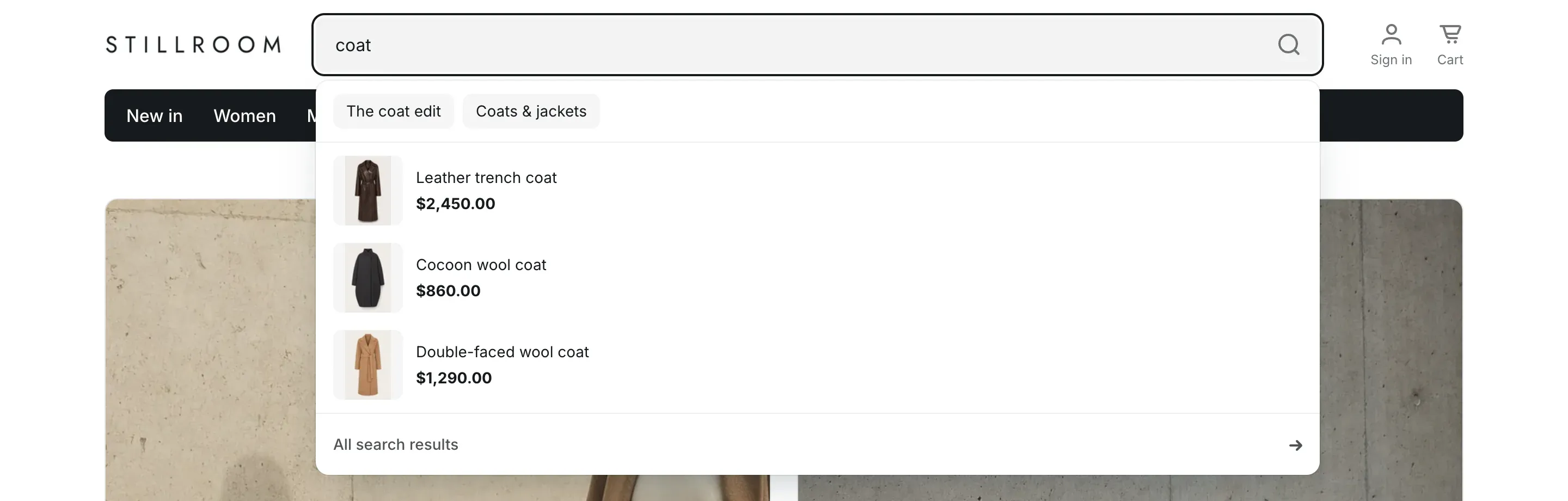
Search products only limits every search form in the store to products, so blog posts and pages don’t appear in the results.
| Setting | What it does | Default |
|---|---|---|
| Show search suggestions | Shows suggestions under the search field while the customer types. | On |
| Search products only | Info in the editor: “Search forms skip blog posts and pages.” | On |
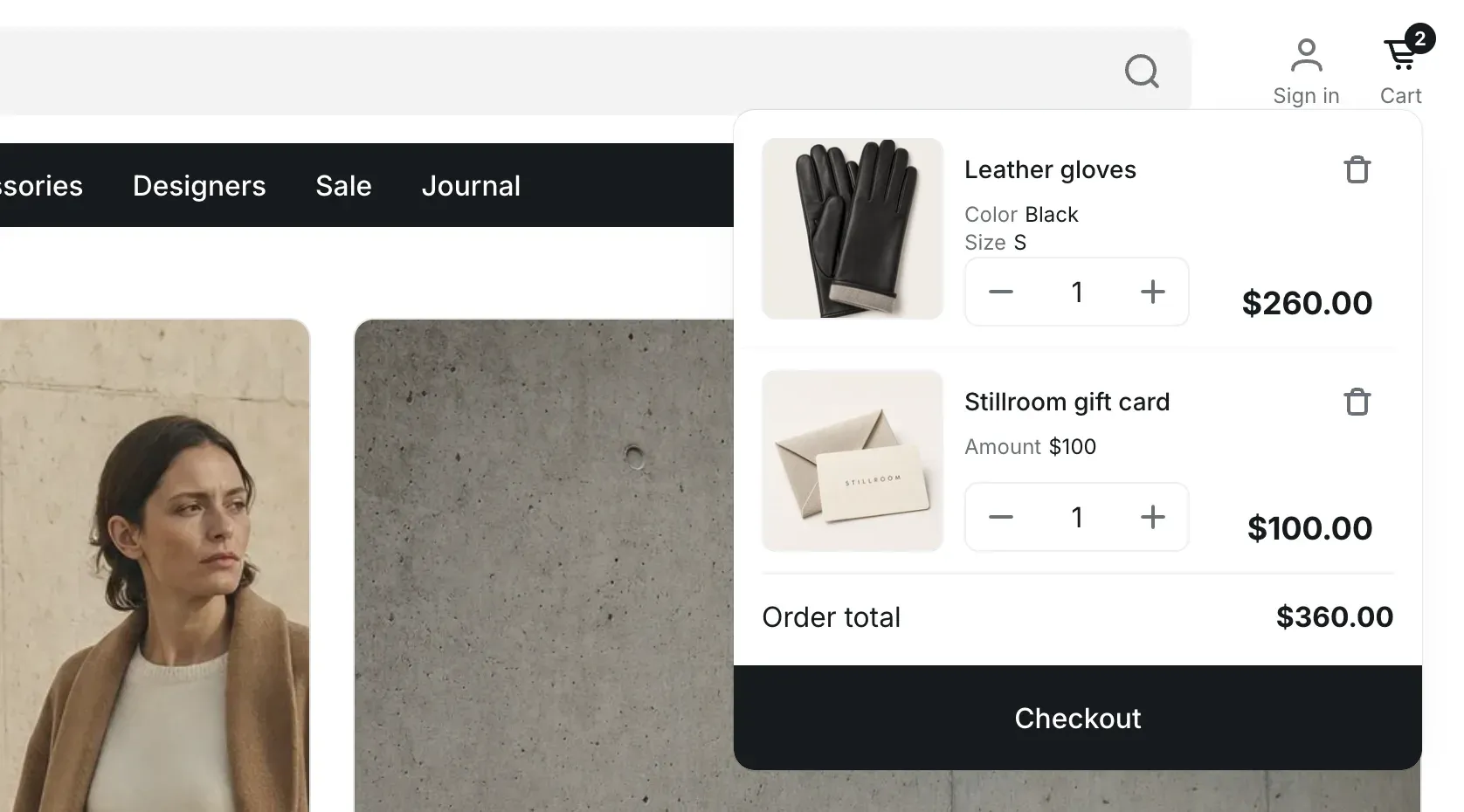
Cart type sets what happens when a customer points at the cart in the header.
- Dropdown: on desktop, pointing at the cart opens a panel with the cart items, the order total and a Checkout button. Customers can change quantities and remove items right in the panel. Clicking the cart opens the cart page.
- Page: the cart in the header is a link to the cart page.
| Setting | What it does | Default |
|---|---|---|
| Cart type | Options: Dropdown, Page. | Dropdown |
Back to top button
Section titled “Back to top button”The back to top button appears in the bottom-right corner after the customer scrolls past the first screen. It scrolls the page back to the top.
- Open Theme settings → Back to top button.
- Turn Show back to top button on or off.
- Choose a Style. Accent styles use the primary button colors of your color scheme, light styles use its background, border and text colors.
- Click Save.
| Setting | What it does | Default |
|---|---|---|
| Show back to top button | Shows the button on every page. | On |
| Style | Shape and color of the button. Options: Circle, accent, Circle, light, Square, accent, Square, light. Shown when the button is turned on. | Circle, accent |