Customer reviews
The Customer reviews section shows reviews you choose and type in yourself: a star rating, the review text, the customer’s name and, optionally, the product the review is about. Next to them you can show your overall rating, such as “4.8, based on 1240 product reviews”. It builds trust on the home page or on a landing page.
Where to find it: Theme editor → page → Add section → Customer reviews or Customer review spotlight.
Two layouts
Section titled “Two layouts”The section has two presets in the Add section list. Both are the same section with a different Layout, and you can switch the layout later.
| Preset | Layout | What it looks like |
|---|---|---|
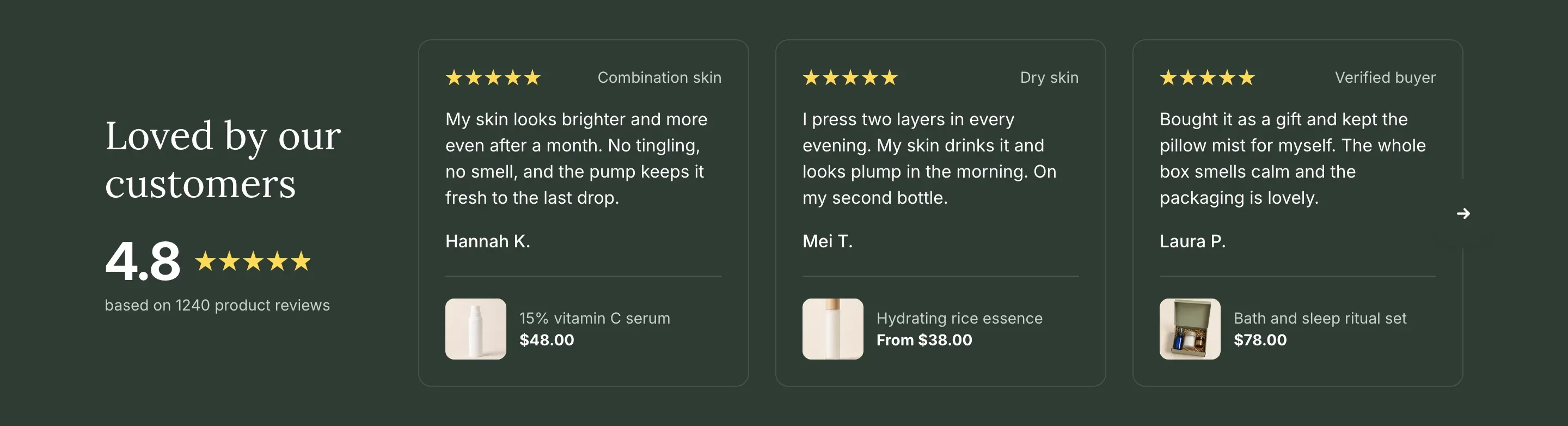
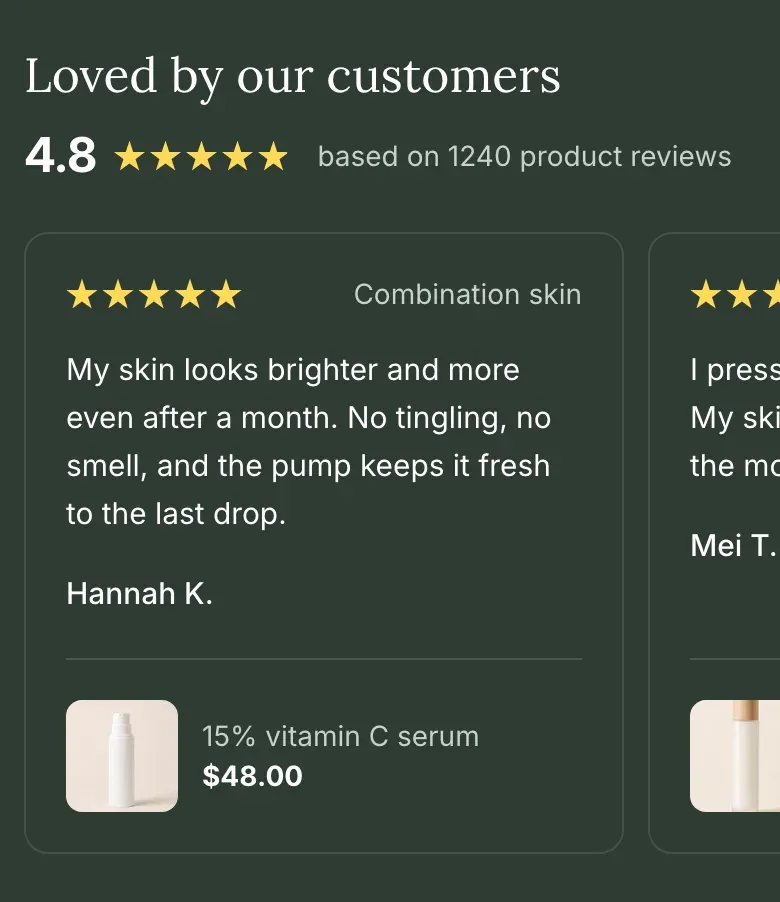
| Customer reviews | Carousel | The heading and the overall rating on the left, three review cards in a row on the right, with arrows to scroll. Each card shows the stars and caption, the text, the name and a small product photo with the product title and price. On screens up to 1024px wide, the rating moves above the cards and customers swipe through them. |
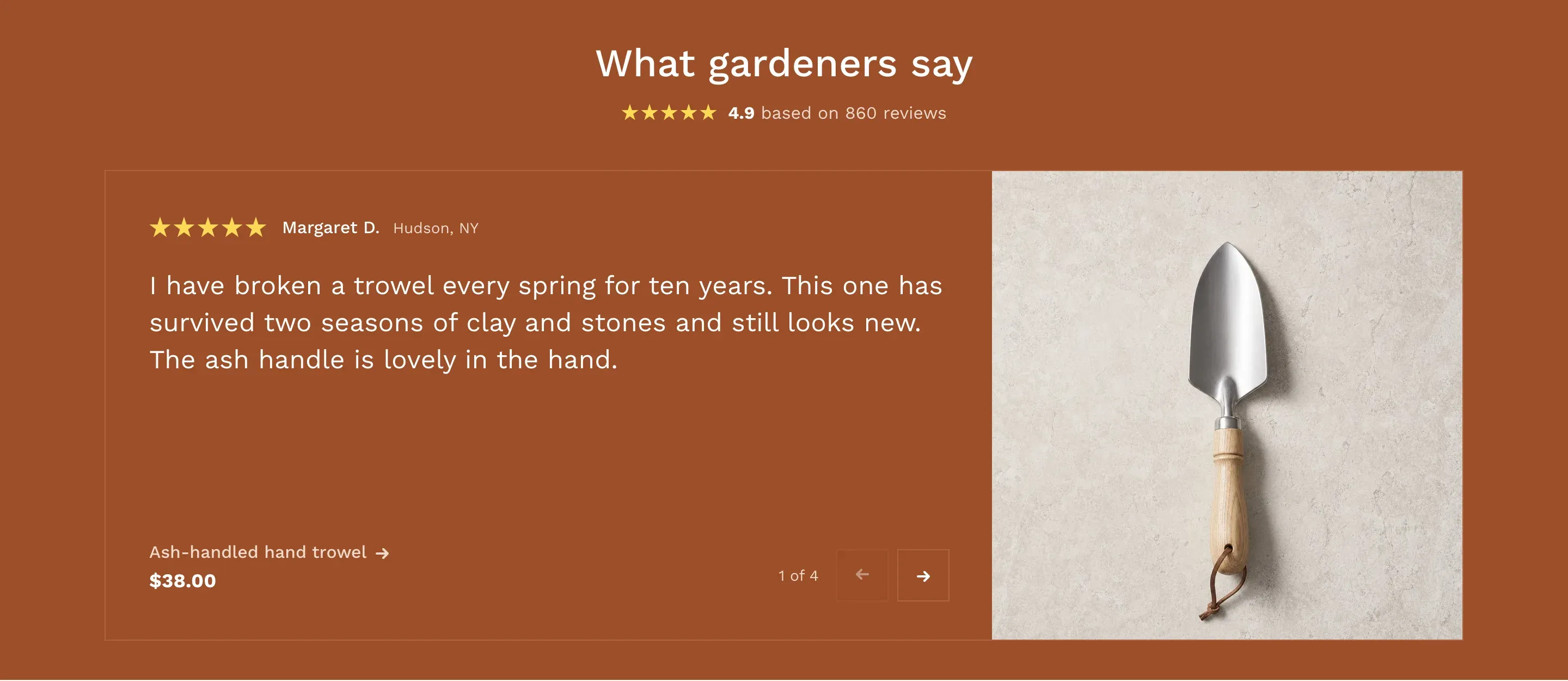
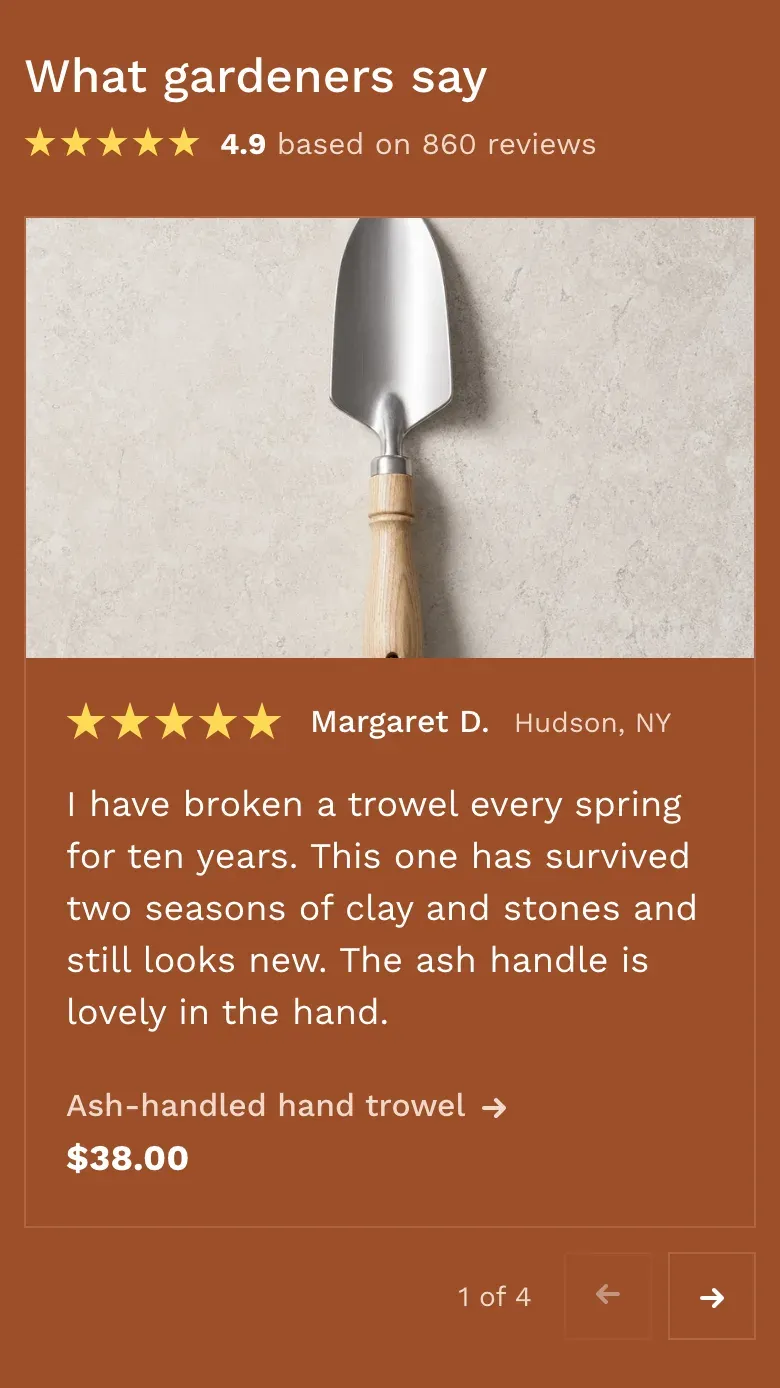
| Customer review spotlight | Spotlight | The heading and a one-line overall rating centered above one large review at a time. The review text is large, the product title links to the product, and a photo fills the right side of the card. Under the review, a counter such as “2 of 3” and previous and next buttons switch reviews; customers can also swipe. On screens up to 768px wide, the photo moves above the text. |
In the Spotlight layout, the photo is the review’s Image, or the product’s featured image when Image is empty. When no review in the section has a photo or a product, the review card takes the full width.
Add your reviews
Section titled “Add your reviews”- Click Add section and choose Customer reviews or Customer review spotlight. The section comes with sample reviews.
- Click a Review block and set the Rating from 1 to 5 stars.
- Paste the review into Text and enter the customer’s Name.
- Optional: add a Caption, such as the review date or “Verified buyer”, and choose the Product the review is about.
- Repeat for each review. You can add up to 12 blocks.
- Click Save.
Long reviews are shortened to six lines in the cards. Pick short, specific quotes, for example about quality, fit, shipping or support.
Show your overall rating
Section titled “Show your overall rating”The theme can’t count your reviews. To show your overall rating, copy the numbers from your reviews app or review platform:
- Click the section and find Overall rating.
- Enter the Average rating, for example
4.8. It is shown with one decimal place and up to five stars. - Enter the Number of reviews, for example
1240. This field appears after you fill in the average rating. - Click Save.
Leave Average rating empty to hide the overall rating. Update the numbers from time to time so they match your reviews app.
App blocks
Section titled “App blocks”Click Add block in the section and open the Apps tab to add a block from an installed app, for example a widget of your reviews app with a feed of real reviews. App blocks are shown below the reviews at full width. See Apps.
The section stays on the storefront as long as it has at least one review or app block. Without any blocks, customers don’t see it.
Settings reference
Section titled “Settings reference”| Setting | What it does | Default |
|---|---|---|
| Layout | Options: Carousel, Spotlight. | Carousel |
| Heading | Section heading. Supports bold, italic and links. | Customer reviews |
| Average rating | Your overall rating out of 5. Info in the editor (Overall rating): “Copy the numbers from your reviews app. Leave the average rating empty to hide the overall rating.” | Empty |
| Number of reviews | Total number of reviews, shown as “based on … reviews”. Appears when Average rating is filled in. | Empty |
| Color scheme | Colors of the section. Review cards use the scheme’s background color with a thin border. See Section basics. | Scheme 1 |
Review block (up to 12 blocks per section, app blocks included):
| Setting | What it does | Default |
|---|---|---|
| Rating | Number of filled stars, from 1 to 5. | 5 |
| Text | The review. Line breaks are kept. | Share what a customer said about your store or a product. |
| Name | Customer’s name. | Customer name |
| Caption | Short note next to the stars. Info in the editor: “For example, the review date or “Verified buyer”“. | Empty |
| Product | Product the review is about. Its title and price link to the product page. | Empty |
| Image | Info in the editor: “Shown instead of the product photo”. In the Carousel layout the photo is shown only when a product is chosen. | Empty |
For the Spotlight layout, use photos at least 864 × 864px. The photo is cropped to fill a column 432px wide and at least 432px tall; set a focal point on the image in Shopify to keep the important part in view.