Video
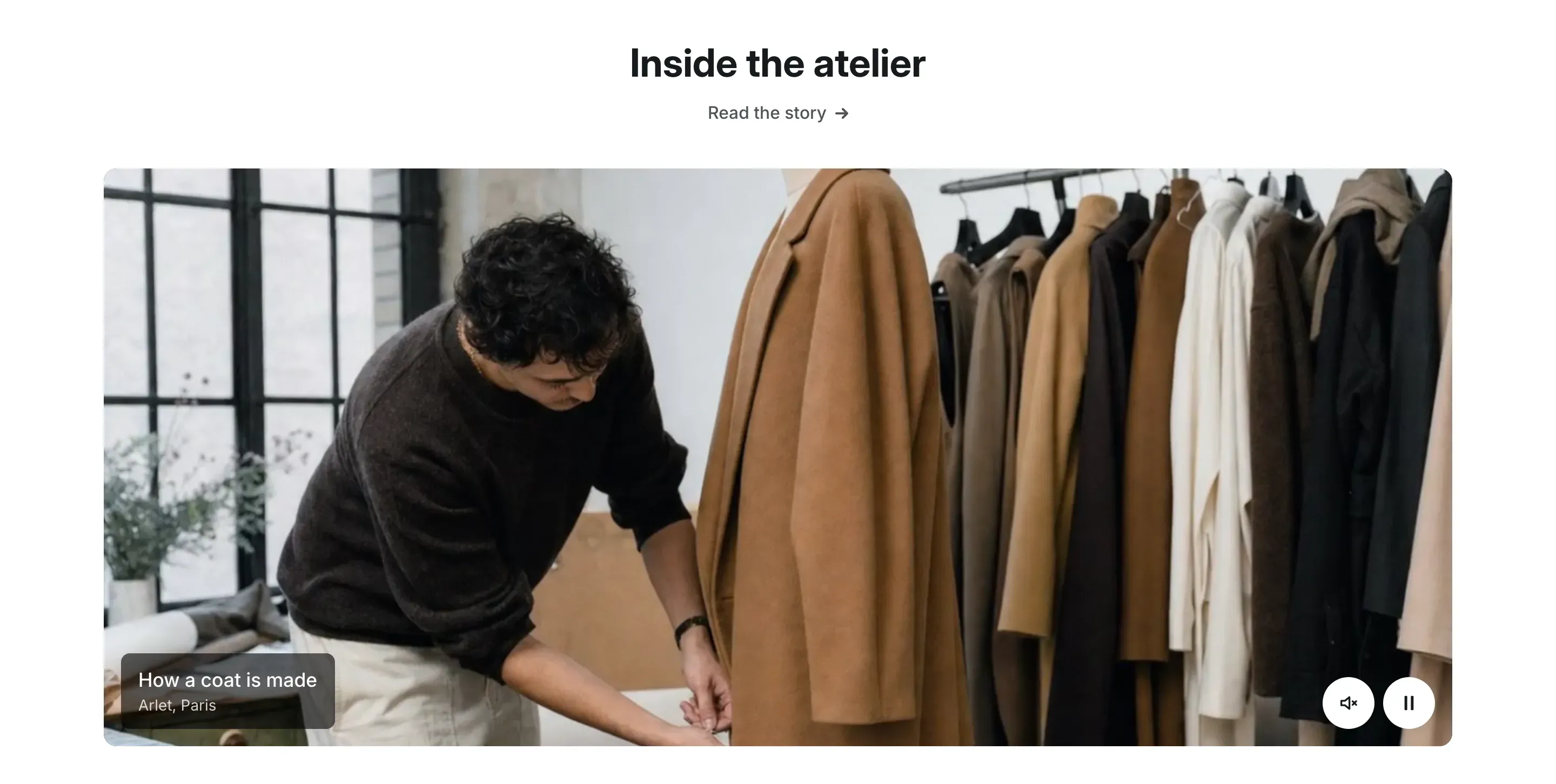
The video section shows a wide video card under a centered heading, with an optional caption on a dark plate. A video you upload to Shopify can play silently in a loop as a moving picture, or wait for customers to press play. You can also use a YouTube or Vimeo link.
Where to find it
Section titled “Where to find it”Theme editor → page → Add section → Video.
Set it up
Section titled “Set it up”- Add the Video section and enter the Heading. To show a link under it, fill in Link label and Link.
- Under Video, upload an MP4 file in Video, or paste a YouTube or Vimeo link.
- For an uploaded video, choose whether to turn on Play muted in a loop.
- Upload a Cover image, 1800 × 1012px works best.
- Choose the Aspect ratio and whether to use Crop to 4:5 on mobile.
- Optional: under Caption, fill in Title and Caption text.
- Click Save.
Uploaded video or a link
Section titled “Uploaded video or a link”If you fill in both, the uploaded video is used and the link is ignored.
| Source | What customers see |
|---|---|
| Uploaded video, Play muted in a loop on | The video starts without sound when it scrolls into view and stops when it leaves the screen. Round buttons in the corner turn the sound on and off and pause the video. |
| Uploaded video, Play muted in a loop off | The cover image with a play button. After a click, the video plays with sound and the usual player controls. The caption is hidden while it plays. |
| YouTube or Vimeo link | The cover image with a play button. The player loads only after a click, so the page stays fast and the video service doesn’t load until customers ask for it. |
When customers turn on reduced motion in their device settings, a looping video doesn’t start on its own. It stays on the cover image until they press play.
The cover image is cropped to the video frame. To control the crop, set a focal point on the image under Content → Files in your Shopify admin.
On mobile
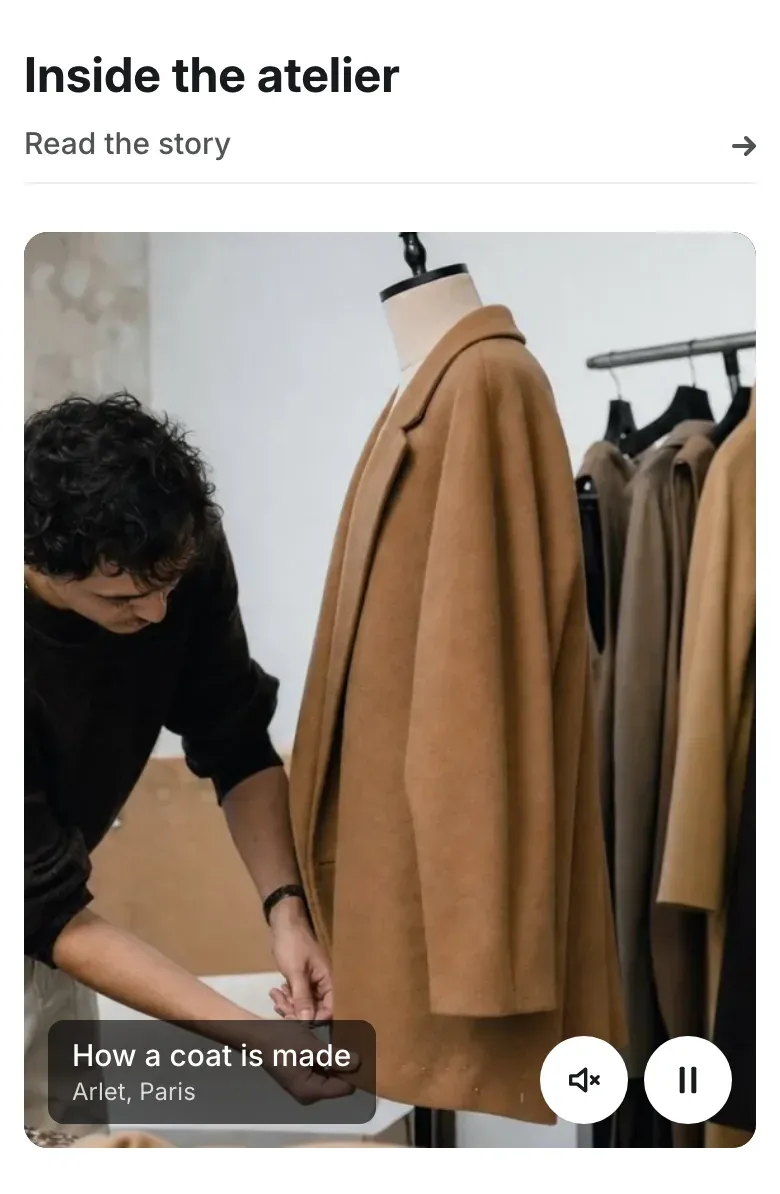
Section titled “On mobile”With Crop to 4:5 on mobile on, the video card becomes a 4:5 portrait frame on screens up to 767px wide and the video is cropped to fill it. Turn it off to keep the Aspect ratio on phones too.
Settings reference
Section titled “Settings reference”| Setting | What it does | Default |
|---|---|---|
| Heading | Title above the video. | Video |
| Link label | Text of the link under the heading. See Section basics. | Empty |
| Link | Page the heading link opens. The link shows when both Link label and Link are filled in. | Empty |
| Video | Info in the editor: “Upload an MP4 file. A video file is used before a YouTube or Vimeo link.” | Empty |
| Play muted in a loop | Info in the editor: “The video starts without sound when it scrolls into view and has pause and sound buttons. Turn off to show a play button instead.” Works with an uploaded video. | On |
| YouTube or Vimeo link | Info in the editor: “Loads only after the visitor presses play.” | Empty |
| Cover image | Info in the editor: “Shown before the video plays. Recommended size: 1800 × 1012 px.” | Empty |
| Aspect ratio | Shape of the video card. Options: 16:9, 21:9. | 16:9 |
| Crop to 4:5 on mobile | Shows the video in a 4:5 portrait frame on phones. | On |
| Title | First line of the caption on the video. | Empty |
| Caption text | Smaller line under the title. | Empty |
| Color scheme | Colors of the section. See Section basics. | Scheme 1 |
Why doesn’t my video play automatically?
Section titled “Why doesn’t my video play automatically?”Automatic playback works only with a video uploaded to the Video setting and Play muted in a loop turned on. YouTube and Vimeo videos always wait for a click. A looping video also waits when the customer has turned on reduced motion on their device.
Can customers hear the sound of a looping video?
Section titled “Can customers hear the sound of a looping video?”Yes. The video starts muted, and customers can turn the sound on with the sound button in the corner of the video.